DIYAN - Powered by AI Hunters

How to Create Faceless YouTube Videos with AI in 2026
Learn how to create faceless YouTube videos using AI tools in 2026. Discover the complete workflow, from script writing and voiceovers to video editing and thumbnails.
Diyan Rajput
6/3/20264 min read
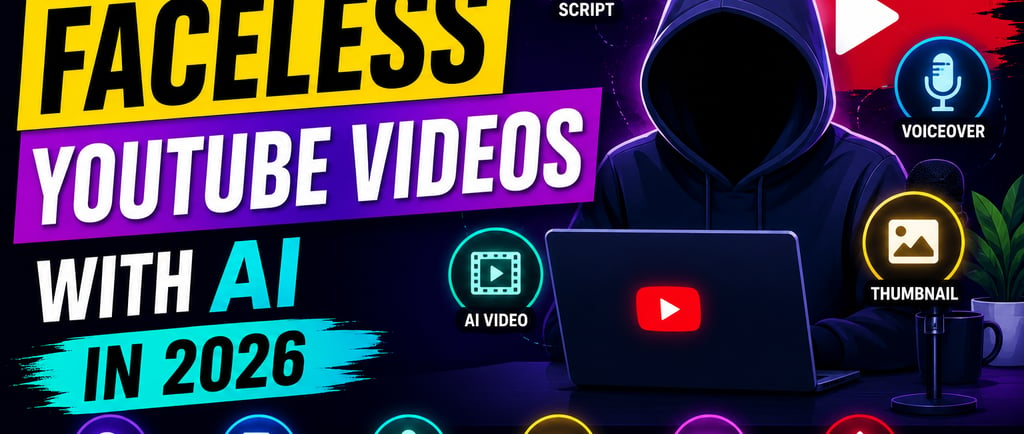
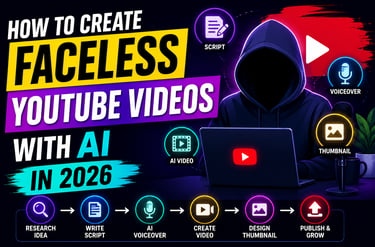
How to Create Faceless YouTube Videos with AI in 2026
Most people never start a YouTube channel for one simple reason.
They don't want to be on camera.
Maybe they're camera shy. Maybe they don't have professional equipment. Maybe they simply don't want their face attached to every video they publish.
The good news?
In 2026, none of that matters anymore.
Some of the fastest-growing YouTube channels today never show a face, never record with a camera, and never step into a studio.
Instead, they use AI.
With the right tools, you can create professional videos using AI-generated voiceovers, avatars, stock footage, and automated editing workflows.
At AI HUNTERS, we've tested dozens of AI tools over the past year, and this guide breaks down the exact process creators are using right now.
Let's dive in.
What Is a Faceless YouTube Channel?
A faceless YouTube channel is any channel where the creator never appears on screen.
Instead of filming yourself, you use:
• AI voiceovers
• AI avatars
• Stock footage
• Screen recordings
• Motion graphics
• AI-generated visuals
And here's something most beginners don't realize:
Viewers don't subscribe because of your face.
They subscribe because your content solves a problem, teaches something useful, or entertains them.
That's why faceless channels continue to explode across niches like:
• AI tools
• Productivity
• Finance
• Tech news
• Self-improvement
• Business education
• Tutorials
The barrier to entry has never been lower.
Step 1: Find a Topic People Already Want
The biggest mistake new creators make is creating videos nobody is searching for.
Before opening any AI tool, find out what people actually want.
A simple trick:
Instead of targeting broad topics like:
"Best AI Tools"
Go specific:
"5 AI Tools That Save Me 10 Hours Every Week"
Specific titles create curiosity and usually perform better.
For research, use:
• ChatGPT
• Perplexity
• Google Trends
• YouTube Search Suggestions
If people are already searching for the topic, you're starting with an advantage.
Step 2: Write a Script That Keeps People Watching
Your script matters more than your editing.
A weak script can't be saved by fancy visuals.
Keep your writing simple.
Short sentences.
Short paragraphs.
No unnecessary filler.
A simple framework:
Hook → Problem → Solution → Key Points → Call to Action
For Shorts:
60 to 120 words
For long-form videos:
Around 150 words per minute
If you're stuck, use ChatGPT or Claude to create a draft, then rewrite it in your own style.
AI should help you write, not replace your voice.
Step 3: Generate a Natural AI Voiceover
This is where most faceless creators save the most time.
A few years ago, AI voices sounded robotic.
That's no longer true.
Tools like ElevenLabs can generate voiceovers that sound surprisingly human.
You simply:
Paste your script
Select a voice
Generate audio
Done.
For most creator content, a calm and natural voice performs better than an overly energetic one.
Remember:
People stay for clarity, not hype.
Step 4: Turn the Script Into a Video
Now it's time to build the actual video.
This is where AI video tools become incredibly powerful.
Depending on your style, you can use:
• AI avatars
• Stock footage
• Motion graphics
• AI-generated scenes
Tools like Pippit AI, InVideo, and Runway make this process much easier than traditional editing software.
For Shorts and Reels:
Use 9:16 vertical format
For YouTube long-form:
Use 16:9 horizontal format
Keep scenes changing every few seconds to maintain viewer attention.
Step 5: Add Captions
Captions are no longer optional.
Most viewers watch videos without sound, especially on mobile devices.
Bold captions improve:
• Watch time
• Engagement
• Retention
CapCut and Veed make caption generation almost automatic.
Keep them:
• Large
• Easy to read
• High contrast
If viewers struggle to read your captions, they'll leave.
Step 6: Create a Thumbnail People Can't Ignore
YouTube is a game of clicks.
Even an amazing video can fail with a weak thumbnail.
The best faceless thumbnails are usually simple.
One idea. One visual. One clear message.
Avoid clutter.
A strong thumbnail should communicate the video's main promise within a second.
For AI-generated visuals, tools like Canva, Leonardo AI, and Adobe Firefly work extremely well.
Step 7: Publish Consistently
Most channels don't fail because of bad content.
They fail because creators quit too early.
The first few videos might get:
10 views.
50 views.
100 views.
That's normal.
What matters is consistency.
A creator publishing three videos every week will usually outperform someone posting randomly.
The algorithm rewards consistency, not perfection.
The AI HUNTERS Recommended Workflow
If you're starting today, here's the simplest setup:
Research: ChatGPT + Perplexity
Script Writing: ChatGPT
Voiceover: ElevenLabs
Video Creation: Pippit AI
Editing: CapCut
Captions: Veed
Thumbnail Design: Canva + Leonardo AI
This workflow is beginner-friendly and can take you from idea to published video in less than an hour once you get comfortable.
Faceless YouTube channels are no longer a secret.
They're one of the most accessible online businesses anyone can start in 2026.
You don't need expensive cameras.
You don't need a studio.
You don't need years of editing experience.
What you need is a repeatable system.
Start with one video.
Learn the process.
Improve a little with every upload.
The creators who win aren't always the most talented.
They're usually the ones who stay consistent long enough to let the process work.
And thanks to AI, building that process has never been easier.
Ready to Build Your First Faceless YouTube Channel?
Explore more AI tools, creator workflows, and content creation resources on AI HUNTERS.
The best time to start was yesterday.
The second-best time is today.
AI HUNTERS Team
Helping creators discover powerful AI tools, smarter workflows, and practical strategies for growing online in 2026.
© 2026 DIYAN. Built with AI Hunters